¶ Problembeschreibung
Dieser Workaround kann bei folgenden Fehlermeldungen helfen:
-
Message: AADSTS50020: User account 'XXX' from identity provider 'https://sts.windows.net/c8d0f3da-0ea2-4050-b220-6b332434ed16/' does not exist in tenant 'XX' and cannot access the application 'd3590ed6-52b3-4102-aeff-aad2292ab01c'(Microsoft Office) in that tenant. The account needs to be added as an external user in the tenant first. Sign out and sign in again with a different Azure Active Directory user account.
-
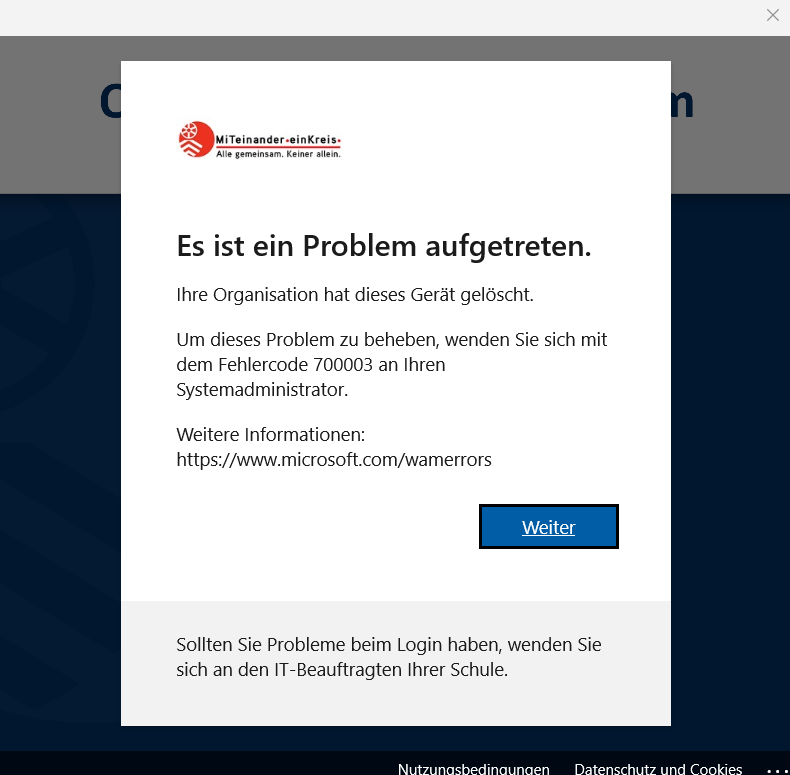
Es ist ein Problem aufgetreten. Ihre Organisation hat dieses Gerät gelöscht. Um dieses Problem zu beheben, wenden Sie sich mit dem Fehlercode 700003 an Ihren Systemadministrator.
Dieser Workaround kann auch verwendet werden, sollte noch eine alte onmicrosoft.com Adresse hinterlegt sein.
¶ Lösung
Gehen Sie bitte wiefolgt vor:
- Öffnen Sie die Einstellungen auf Ihrem Windows Gerät
- Klicken Sie auf "Konten" und dann auf "Arbeits- oder Schulkonto zugreifen".
- Wählen Sie Ihre schulische E-Mail-Adresse und klicken Sie auf trennen:
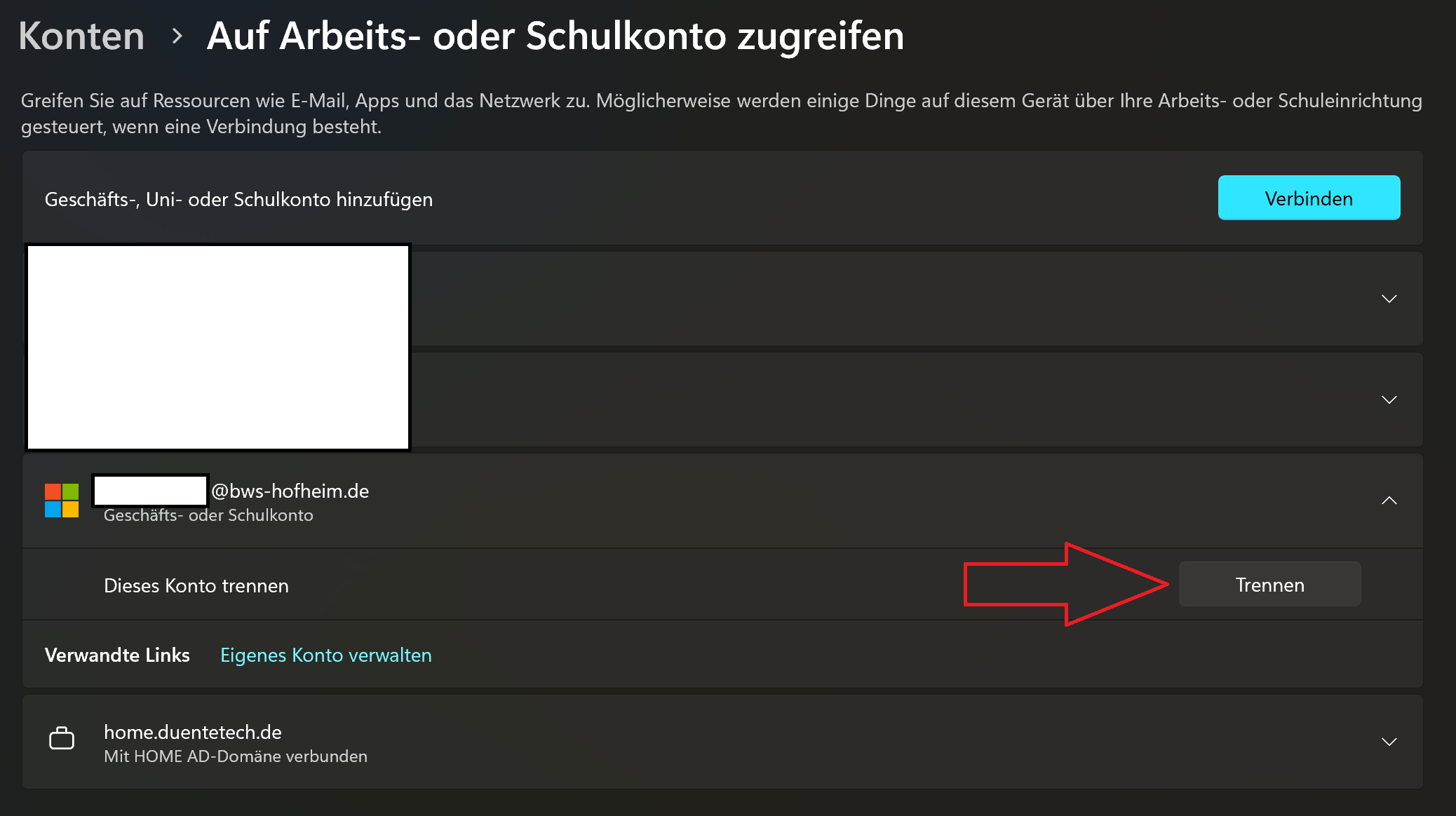
- Melden Sie sich nun erneut bei den Apps auf dem Gerät (also direkt in Word etc.) an und registrieren Sie das Gerät erneut. Danach funktioniert wieder alles wie gewohnt.
Die Fehlermeldung kann wiefolgt aussehen: